![VEXCEL_Data_Program_Brand_outline_Logo_Horizontal_Black.jpg]](https://support1.vexceldata.com/hs-fs/hubfs/Logos/VEXCEL_Data_Program_Brand_outline_Logo_Horizontal_Black.jpg?height=40&name=VEXCEL_Data_Program_Brand_outline_Logo_Horizontal_Black.jpg)
Elements - Roadway Overview
Vexcel Elements - Roadway is an AI-based product that provides important data for inventorying roadways for reporting, compliance, and safety analysis. This data is based on imagery captured via the Vexcel Data Program covering both urban and rural areas across the U.S.
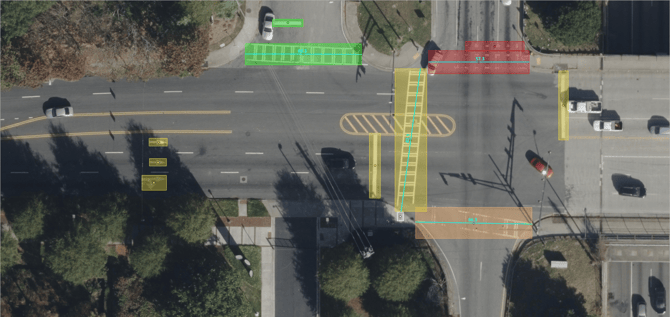
Release V1 of Elements - Roadway identifies and maps the location of roadway features, including ADA curbmats, roundabouts, and pedestrian islands; as well as crosswalk, stop line, word, symbol, and arrow pavement markings. The data is delivered as a .csv file and/or geodatabase.gdb for viewing in a variety of applications.

 Elements - Roadway data viewed in Microsoft Excel.
Working with Elements Roadway Data
The elements.csv file contains a table of extracted roadway features with attributes about each feature such as location, name, description, area and others. There are up to two types of geometry (Point and Polygon) available for each element. Crosswalk elements contain an additional geometry attribute (LineString) for calculated crossing distances. Each of these geometry types can be displayed in GIS applications. Full descriptions of attribute fields can be found in the Data Dictionary.
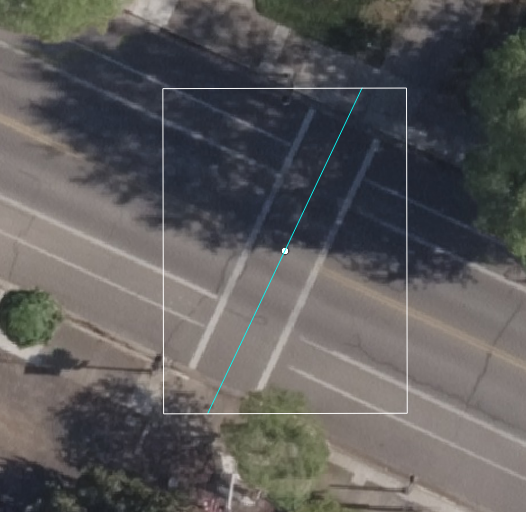
 Crosswalk Element displaying bounding box polygon, bounding box centroid point, and crossing distance (LineString).
Imagery Metadata
In addition to information about each roadway feature, image metadata from the imagery utilized for analysis is included. This information is important for understanding the source imagery analyzed. You’ll use this information to set up and access corresponding Vexcel imagery within GIS applications using Vexcel Imagery Services.
|
Roadway Elements: Field Name |
Description |
Example |
|---|---|---|
|
|
Vexcel image product used for analysis. |
|
|
|
The identifier of the Area of Interest (AOI) which contains the desired imagery. |
us-or-medford-2023 |
|
|
The identifier of the child Area of Interest (AOI) which contains the desired imagery. This parameter can only be used in combination with the |
us-or-medford-2023 |
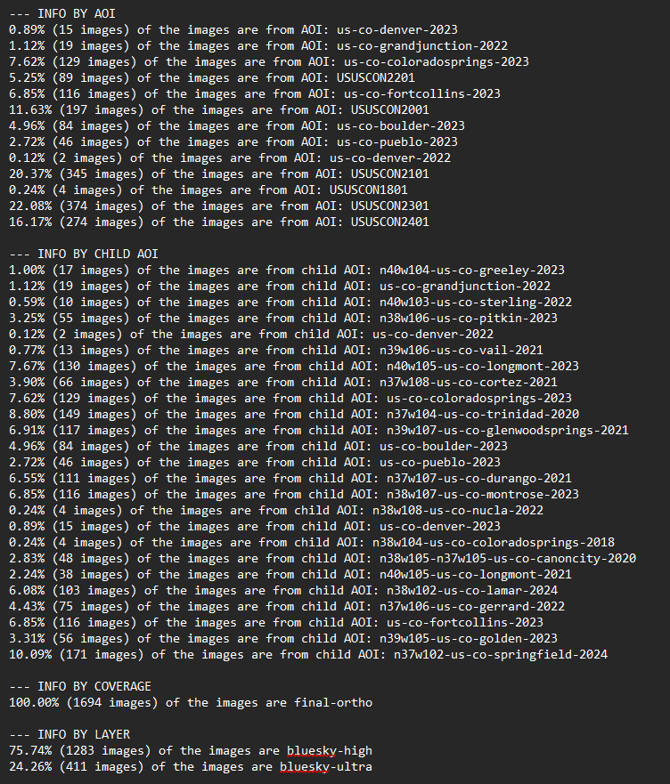
A summary of imagery layers utilized in analysis is available in the report.txt file included with each delivery. As shown in example below, imagery used in analysis may include multiple layer, AOI and childAOI to cover a jurisdictional boundary or roads of interest.